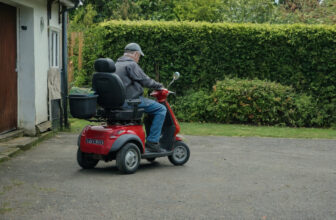
Mobility scooter maintenance comes down to five parts and the habit each one asks for. Batteries decide whether a day out ends well, so charge after every use rather than running them flat, and replace them as a matched pair. Check tire pressure and tread, test the brake on a gentle slope before you rely on it, confirm the throttle springs back to center, and keep the seat post free of wobble.
Your mobility scooter is really a handful of key parts working together, and each one wears in its own way. Knowing what every part does, and the small bit of care it asks for, is the difference between a machine that quietly keeps going and one that lets you down on an outing.
Batteries: the heart of the machine
The batteries are what turn a good day out into a stranded one, so they deserve the most attention. They store the energy that runs everything, and like any rechargeable cell they slowly lose capacity over months and years of use. The single best habit is to charge regularly, ideally after each use rather than waiting until they are nearly flat, since deep draining shortens their life. Use only the charger that came with your scooter, plug in on a dry surface, and let a full charge finish rather than topping up in short bursts. Keep the terminals clean and dry, and if you notice the range dropping off, shorter trips, or slow charging, that is usually the batteries telling you they are near the end. When they need replacing, follow your manual for the correct type and have both replaced as a matched pair.
Tires and wheels: your contact with the ground
The tires carry your weight and soak up bumps, and they are the parts most exposed to everyday wear. If yours are air-filled, they need to stay properly inflated: under-inflated tires drag on the motor, drain the battery faster, and make steering feel heavy, so check the pressure regularly against the figure in your manual. Solid or foam-filled tires never go flat but still wear down over time. Whichever kind you have, glance at the tread and the sidewalls now and then for bald patches, cracks, or embedded debris, and clear out anything caught in the wheels. Worn tread means less grip on wet pavement and ramps, which is exactly when you want the most. Replace tires when the tread is smooth or the rubber is visibly perished.
Motor, drive, and brakes: the moving core
The motor and drive system turn battery power into motion, and the braking system brings you safely to a stop. On most scooters the two are linked, with an electromagnetic brake that engages automatically when you let go of the control. Because these parts are sealed and sturdy, they ask for less hands-on care, but they do send warnings. Listen for new grinding, whining, or clicking sounds, and notice if the scooter feels sluggish, pulls to one side, or hesitates on inclines. Test the braking regularly on a gentle, safe slope: it should hold firm and stop you smoothly without rolling. If the scooter freewheels when it should not, or the brake feels weak or jerky, stop using it and have it looked at, since braking is not something to guess about. Keep the underside free of tangled hair, threads, and grit around the wheels and axles, as these can build up and strain the drive.
Tiller, controls, and seat: where you steer and sit
The tiller is the steering column that holds your throttle, speed dial, key switch, and horn, and it is handled every single trip. Wipe the controls clean, keep them dry, and make sure the throttle lever springs back to center on its own, because a lever that sticks is a real safety issue. Check that the tiller locks firmly at your chosen angle and does not drift while you ride. The seat, meanwhile, should sit solidly on its post without wobble or play; give it a gentle push now and then to confirm it is secure, and check that any swivel latch clicks properly into place. Keep the upholstery clean and out of constant sun and damp, which crack and fade the material over time. Loose armrests or a rocking seat are usually just fittings that have worked loose and can be snugged up following your manual.
Everyday habits that extend its life
Beyond individual parts, a few simple routines protect the whole machine. Store your scooter indoors in a dry, moderate spot, since damp and cold are hard on both batteries and electronics. Wipe it down after wet or dusty trips, and keep it out of standing water, since most scooters resist a light shower but were never meant to be soaked. Do a quick walk-around before longer outings: a look at the tires, a squeeze of the brake, a glance at the battery gauge. And keep your manual somewhere handy, because it holds the exact charging times, pressures, and service points for your specific model that no general guide should invent for you.
Parts & maintenance FAQ
How often should I have my scooter serviced?
A professional check on a regular schedule catches wear you cannot see, inside the motor, brakes, and wiring, before it becomes a breakdown. Follow the interval your manual recommends, and book a visit sooner if anything feels or sounds different between services.
Why is my scooter not going as far on a charge as it used to?
Shrinking range almost always points to the batteries aging, though soft tires, cold weather, hills, and heavier loads all cut into it too. Rule out low tire pressure first, then, if the drop continues even after a full charge, plan for replacement batteries as a matched pair.
Can I look after the scooter myself, or do I need a technician?
You can comfortably handle the everyday care: charging, cleaning, checking tires, and testing the brakes. Leave anything involving the motor, internal wiring, or braking mechanism to a qualified technician, since those repairs affect your safety and can void your warranty if done wrong.